
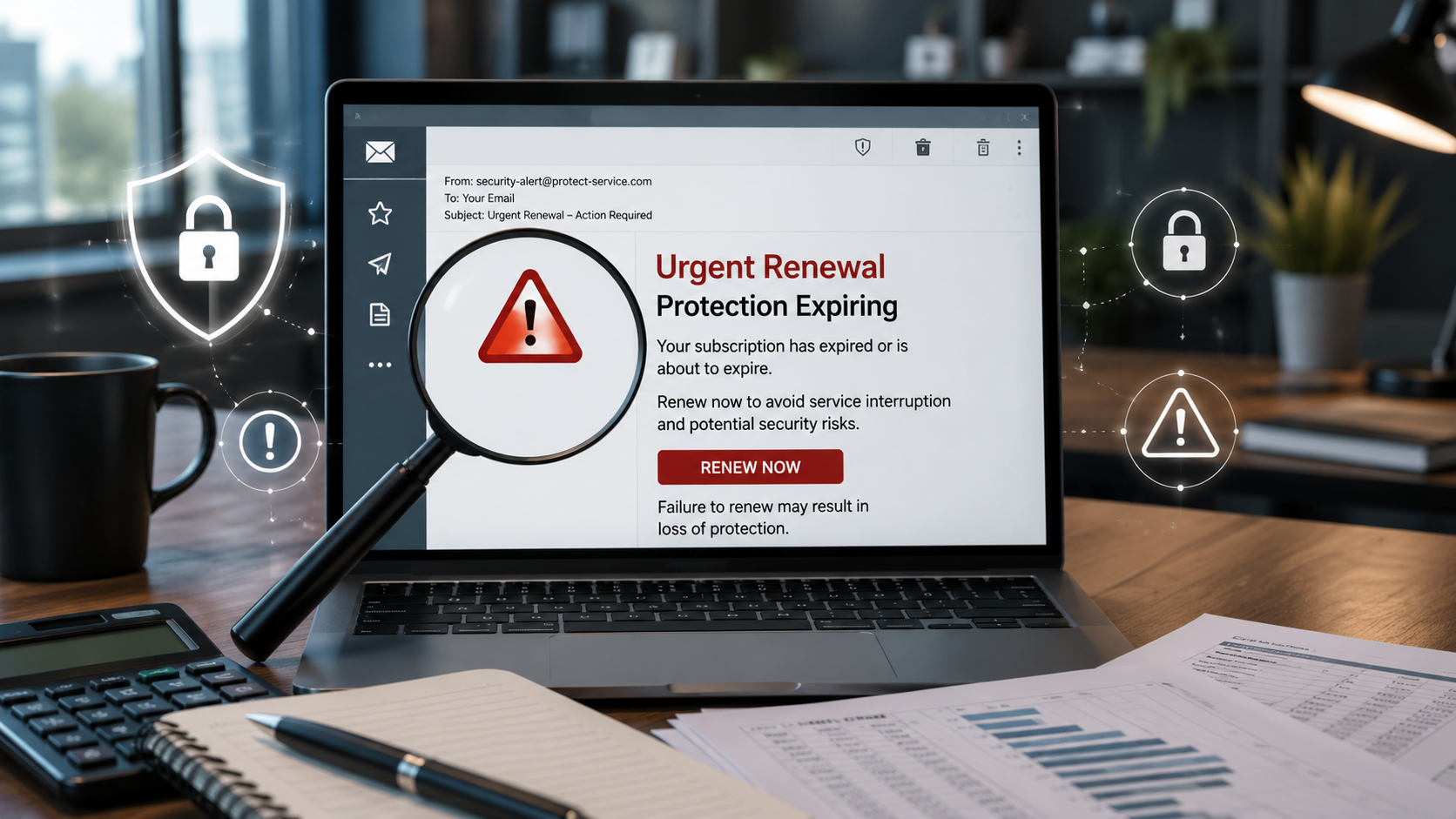
There is a certain kind of email that makes even a smart business owner pause.
“Your antivirus protection has expired.”
“Your devices are at risk.”
“Renew today and save 89%.”
Sounds urgent, right? That is exactly the point.
A recent Guardian article covered fake antivirus renewal scams that impersonate well-known security software brands, including McAfee. The scam is simple, but effective. A business owner or employee receives an email warning that their protection is about to expire, or already has. The message pushes them to click immediately, renew immediately, or call a number immediately.
And that word, immediately, is where the fraud starts.
Because when people feel rushed, they stop verifying.
The scam is not really about antivirus software
On the surface, this looks like a software renewal scam.
But underneath? It is a fear scam.
Fraudsters are not selling antivirus software. They are selling panic.
They know business owners already worry about cybersecurity. They know employees do not want to be the person who “let the virus in.” They know nobody wants to explain to the owner that they ignored a warning about expired protection.
So the scammer creates a tiny emergency.
Then they offer a fast fix.
Click here. Pay now. Call this number. Enter your card. Confirm your account.
That is the trap.
Why this works so well on businesses
This kind of scam is especially dangerous for small businesses because software renewals are normal. Businesses pay for antivirus software, cloud storage, payroll tools, bookkeeping systems, domain names, web hosting, email services, legal software, practice management software, and about twenty other subscriptions nobody remembers signing up for.
So when an invoice or renewal notice shows up, it does not feel strange.
It feels like Tuesday.
And that is what makes it dangerous.
A fake software renewal does not have to be perfect. It only has to land in the inbox of someone who is busy, distracted, or trying to be helpful.
Think about it. If your office manager gets an email saying the company’s virus protection expires today, what do you want them to do?
Panic and pay it?
Or pause and verify it?
That one pause can be the difference between a normal workday and a stolen credit card, compromised login, malware infection, or full-blown business email compromise.
The red flags hiding in plain sight
These scams usually leave clues. The problem is that most people are moving too fast to notice them.
Here are the big ones:
The email creates urgency. It says your protection expires today, your devices are exposed, or your account will be canceled.
The discount is too good. An 89% discount sounds great, but scammers use big savings to make people act before they think.
The sender address looks odd. It may include extra words, random letters, strange domains, or anything that does not match the actual company.
The message includes links you were not expecting. Some scam emails even include a few real links to make the email look legitimate, while hiding malicious links elsewhere.
The grammar or formatting feels off. Not always, because scams are getting better, but it is still worth noticing.
The email asks you to call a phone number inside the message. That number may connect you directly to the scammer, not the real company.
Here is the rule: if the email makes you feel rushed, slow down.
Fraud loves speed. Prevention loves a second look.
What businesses should do instead
You do not need a complicated fraud prevention department to stop this kind of scam. You need a process.
Not vibes. Not “I’m pretty sure this is real.” A process.
1. Keep a software subscription list
Every business should have a simple list of approved software vendors.
Include:
Software name
Vendor website
Renewal date
Payment method
Who approves the renewal
Expected amount
Login link, typed directly from a saved internal record
This list does not need to be fancy. A spreadsheet is fine. Your accounting system, password manager, or internal SOP folder may work too.
The point is this: when a renewal email shows up, your team should not be guessing.
They should be checking.
2. Never renew from an email link
This is the big one.
Do not click the link in the email.
Go directly to the vendor’s website using a saved bookmark or by typing the known website yourself. Then log in and check the account status.
If the renewal is real, it will be there.
If it is not there, the email can go straight to the trash.
This one habit can stop a shocking amount of fraud.
3. Require approval before paying new or unexpected renewals
If a renewal is not on the approved software list, it should not be paid without review.
That does not mean you need to turn your business into a bureaucracy. It means nobody should be able to pay a surprise invoice just because it looks official.
Set a dollar threshold. For example:
Under $100, one approval
Over $100, manager approval
Any new vendor, owner or finance approval
Any payment requiring bank information, extra verification
The amount matters less than the habit.
No surprise payments. No mystery vendors. No rushed renewals.
4. Train your team to report suspicious emails, not solve them
Employees often click because they are trying to fix the problem quickly.
That is good intention. Bad process.
Make it clear that their job is not to investigate a suspicious email alone. Their job is to report it.
Create one place for suspicious emails to go. That might be your IT provider, internal admin, outsourced CFO, bookkeeper, or business owner.
The message to your team should be simple:
“When in doubt, send it here before clicking.”
No shame. No eye rolling. No “how did you not know that was fake?”
The best fraud prevention culture is one where people feel safe raising their hand early.
5. Use a company card with controls
Do not let random software renewals hit debit cards or personal cards.
Use a business credit card with alerts, limits, and the ability to lock or replace the card quickly. Better yet, use virtual cards for software vendors when possible.
That way, if one vendor account or payment method is compromised, the damage is contained.
Fraud prevention is not just about stopping every bad thing. It is also about making sure one bad click does not become a financial mess.
6. Review recurring charges monthly
This is where bookkeeping becomes fraud prevention.
Every month, someone should review software charges and recurring subscriptions. Not just categorize them. Review them.
Ask:
Do we still use this?
Is this vendor approved?
Did the amount change?
Is this a duplicate charge?
Does this match our software list?
Was this paid from the correct card or bank account?
A fake renewal scam can slip through when nobody owns the review process.
Your books are not just history. They are evidence.
Read them like a detective.
What to do if someone already clicked or paid
If your business falls for one of these scams, move fast.
Contact your bank or credit card company immediately.
Change passwords for any account involved.
Turn on multi-factor authentication if it was not already active.
Run a security scan through your real IT provider.
Report the email as phishing through your email platform.
Notify your team so nobody else clicks the same message.
Review recent bank, credit card, and software account activity.
And please, do not waste time blaming the person who clicked. Blame slows the response. Process fixes the problem.
The real lesson
This scam works because it looks like ordinary business.
That is why prevention cannot depend on someone “having a good eye” or being naturally suspicious.
You need systems that catch fraud when people are busy, tired, distracted, or just trying to get through their inbox.
Because that is when fraud walks in.
A fake antivirus renewal may seem small, but the lesson is big:
Any unexpected request for money, login credentials, or payment information deserves verification.
Not later.
Not after you click.
Before.
Today’s fraud prevention move
Pull your last three months of software charges. Make a list of every recurring subscription your business pays for. Then assign one person to own renewals and one process for verifying them.
It is not glamorous.
It is not complicated.
But it works.
And in fraud prevention, that is the whole point.
