
600 Emails and a $1,200 Laptop. What Was Someone Trying to Hide?
A woman received a text from her bank asking if she’d just purchased a $1,200 laptop.
She hadn’t.
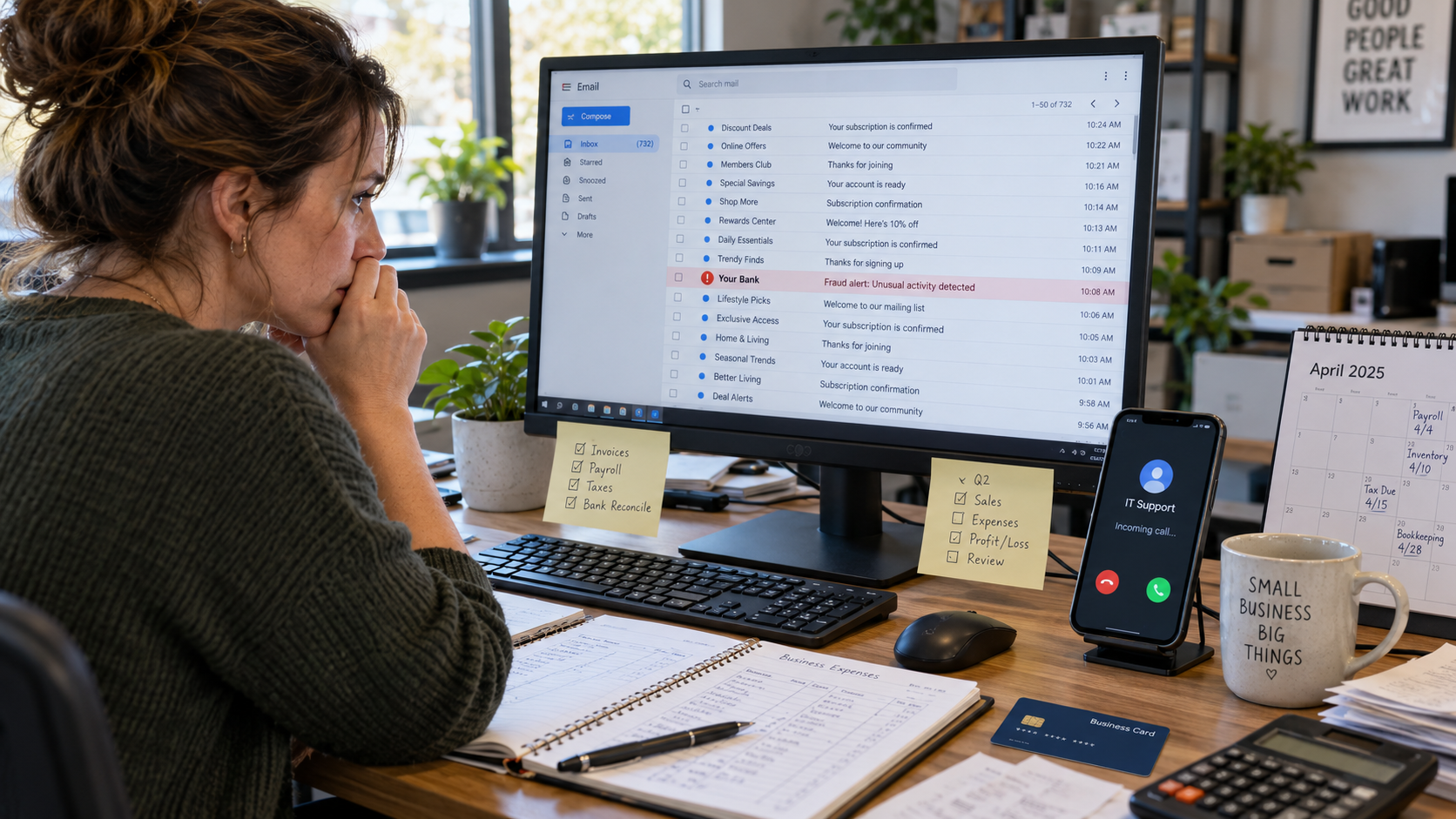
She called the bank using a number she looked up herself. While she was on the phone, her email started going crazy. Newsletter subscriptions, welcome emails, account confirmations. More than 600 messages came in.
Somewhere in that mess was an actual fraud alert from her bank about the laptop.
I read about this case in The Washington Post, and the 600 emails were what caught my attention.
Someone tries to use your credit card, and suddenly you’re subscribed to hundreds of newsletters?
I’d be looking for a connection.
The bank’s email didn’t disappear. It was still sitting in her inbox. But finding it among 600 other messages would have been like trying to find one particular receipt in a dumpster.
Fortunately, the bank had also texted her.
Without that text, she might not have discovered the attempted purchase until she reviewed her statement.
Why Would Someone Send 600 Emails?
Most of us would assume our email address had ended up on a spam list.
I’d probably think the same thing initially. But 600 emails arriving together is different from the usual junk mail.
For one thing, these weren’t all messages from shady websites. Many came from legitimate businesses, universities, charities, and retailers.
Someone had apparently entered her address into hundreds of subscription forms.
That takes some effort, even with a computer program doing the work.
So why bother?
There’s a fraud technique called email bombing. Criminals use automated programs to flood someone’s inbox, making it difficult to find important messages.
Suppose you’ve just used a stolen credit card to buy a laptop. You know the bank might send the cardholder a notification.
You can’t control whether the bank sends it.
But you can make it a lot harder for the cardholder to notice.
You sign up their email address for hundreds of mailing lists. The bank alert arrives, gets pushed down by hundreds of other messages, and hopefully goes unnoticed long enough for the transaction to go through.
We don’t know for certain that the person attempting the laptop purchase also caused the email flood. But the timing is suspicious enough that I’d want to find out.
And Then Someone From IT Calls
There’s another version of this scheme that’s been showing up in security investigations.
An employee receives hundreds of emails. While they’re trying to deal with them, someone contacts them through Microsoft Teams or by phone.
The caller says they’re from IT.
They know about the email problem and offer to fix it.
Now, I’d have a few questions.
How did they know the employee was having trouble? Did someone submit a support ticket? Is this actually the company’s IT provider?
Because in some of these cases, the person offering to help is working with the same criminals who flooded the inbox.
They created the problem. Now they’re using it to get into the computer.
The fake technician asks the employee to open Microsoft Quick Assist, download remote-access software, or share their screen.
That request might not seem unreasonable. After all, real IT technicians use those tools.
But once the criminal has access, they may be able to look through accounting files, retrieve stored passwords, or access confidential client information.
The employee thinks they’re getting help with their email.
The criminal has something entirely different in mind.
Law Firms Are Showing Up in These Investigations
Security company eSentire reported that email bombing combined with fake IT support attacks increased 1,450% in 2025 among the incidents it observed.
It also reported a 72% intrusion ratio for the attacks it identified.
Legal organizations were among the industries heavily affected.
I’ve spent enough time working with law firms to know how much financial information passes through their offices.
Settlement payments. Trust account deposits. Client refunds. Vendor payments. Wire instructions.
Now picture a bookkeeper working through a stack of payments when 500 emails start arriving.
An email from the bank about a changed payee gets buried. The bookkeeper is busy trying to make the messages stop.
Then someone from “IT” calls.
I can see how an employee might let that person connect to their computer, especially if they believe they’re talking to their regular support provider.
And that’s exactly why I’d want to know whether the business had requested any IT assistance before the caller appeared.
I’d Start With the Bank Records
If someone called me and said their company had received 600 unexpected emails, I’d want to know what time the first one arrived.
Then I’d look at what happened in the financial accounts around that time.
Were there unusual purchases? New payees? Wire transfers? Password changes?
I’d look for attempted transactions too, not just completed ones.
Say the emails started at 10:17 a.m.
If the bank records showed someone had added a new payee at 10:12 a.m., that would be worth investigating.
I’d want to know who added the payee, whether the business recognized them, and whether the bank sent a notification.
Next, I’d search the inbox.
The important email might still be there, just buried under hundreds of subscription confirmations.
I’d search for the bank’s name, along with words like fraud, payment, password, wire, ACH, and new device.
I’d also check deleted emails and forwarding rules.
If someone had accessed the mailbox, they might have set up a rule to move financial notifications out of sight or forward them to another address.
Then I’d ask about phone calls.
Did anyone claiming to be IT contact the employee? What time? Did they ask to connect remotely? Did the employee give them access?
I’d write down the answers and compare the times.
It’s possible the email flood and a suspicious transaction are unrelated. It’s also possible they’re two parts of the same scheme.
The records should help determine which explanation makes sense.
Don’t Start Deleting the Evidence
If this happens at your company, the first thing I’d do is check the bank and credit card accounts.
Don’t use links from the incoming emails. Open your banking app or go to the website yourself.
Look at recent charges, pending transactions, transfers, new payees, and changes to account settings.
If you find something you don’t recognize, contact the bank immediately using a verified number.
Then contact your actual IT provider.
Not the person who suddenly called offering help. Use the phone number you already have for your provider.
Until you’ve established what’s happening, don’t allow an unexpected caller to access your computer, install software, or request authentication codes.
And save the emails.
I know nobody wants to keep 600 unwanted messages, but the timestamps and contents may help explain what happened. If there’s a bank investigation or insurance claim, you’ll be glad you didn’t delete everything.
One other thing I’d change is where financial alerts are sent.
If you’re using the same email address for banking that you publish on your website, you’re making that address easy for a criminal to target.
I’d use a separate email address for financial notifications and enable bank text or app alerts whenever possible.
The Part of This Case That Bothers Me
The woman with the $1,200 laptop charge caught the attempted fraud because her bank sent a text.
But what if it hadn’t?
She might have spent the afternoon wondering why she was suddenly receiving hundreds of emails, never realizing that one of them was a warning about her credit card.
That’s what bothers me about this scheme.
An employee could spend an hour trying to solve an email problem while the actual problem is sitting in the bank account.
And if someone claiming to be IT shows up in the middle of all that confusion, the business could end up with a second problem.
I’d want every employee to know one thing.
If your inbox suddenly fills with hundreds of messages, don’t assume somebody signed you up for a bunch of newsletters.
Check your money first. Then find out who’s behind the emails.
Because those 600 messages may not be what the criminal wanted you to see.
They may be what the criminal wanted you looking at.
